Start with three identifiers a scanner could confuse
Use a small Excel sheet with one column headed SKU. Format the column as Text before entering 00042, 00043 and A0042. Inspect the formula bar for the first cell. If it reads 42 while the sheet displays 00042, a number format is decorating a shorter value. Restore the original identifier as text, save the workbook and reconnect it to the merge.
This example makes internal stock labels. The code carries the characters in your SKU. A retailer requesting a UPC or a GS1-128 logistics label is asking for a different format.
Give Word one field for bars and one for readable text
In desktop Word for Windows, start a Labels mail merge, pick the sheet stock and connect the Excel worksheet through Select Recipients. Put the cursor inside the first label. Press Ctrl + F9 to insert a real pair of field braces. Between them type MERGEBARCODE SKU CODE128. The completed field should look like this when field codes are visible:
{ MERGEBARCODE SKU CODE128 }
On the next line, choose Mailings → Insert Merge Field → SKU for the human-readable value. Select Update Labels. Use Alt + F9 to switch the field-code view if necessary, preview the records and finish the merge to an editable document. Leave clear space on both sides of each barcode and keep neighboring cell content away from its ends. Microsoft’s field syntax and supported barcode types.
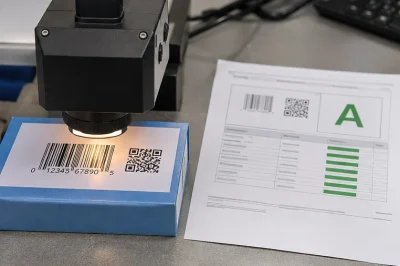
Scan the three labels into an empty text editor
- Expected sequence: 00042, 00043, A0042. Compare character by character with Excel and the text printed below each symbol.
- 42 appears in both places: revisit the source cell and merge connection. Making the symbol larger cannot recover missing digits.
- The same SKU appears three times: check that later cells advance with Next Record. Reapply Update Labels from the first cell and merge again.
- The text is correct but one label will not scan: print a fresh proof at actual size. Inspect both ends for clipping or nearby artwork. Try the scanner on another known Code 128 symbol to distinguish a label issue from its configuration.
Finally, scan a proof into the actual inventory lookup and confirm it opens the intended item. Keep the tested Word template with the name of its Excel column so the next batch can reuse the field. Microsoft’s advice on preparing Excel values for a merge.